India’s First Instant Print Delivery Store: Leveraging IoT to deliver printouts to your doorstep

Setting up our printout delivery store has been extremely satisfying at many levels. At one end is the joy from customers discovering an easy, home-delivered solution for last-minute printouts. But even more satisfying is the knowledge that we created this nationwide service using the scrappy Raspberry Pi and a seamless print flow that effectively harnesses the power of our instant delivery.
But we did face some challenges along the way. Post launch, our customers started experiencing a lot of consistency issues, and they had to be fixed before we could scale this service. The inconsistency was majorly due to real hardware limitations. These, combined with a need for data privacy and security, led to frequent misses. The root causes were fairly silly things, such as printers not connecting to the Internet, oing to sleep, running out of paper, etc.
What did we need to do?
We needed to figure out how to tinker with our existing microservices to better integrate them with the Print Store. The following objectives were clear:
- Automation: Start printing automatically once payment is done
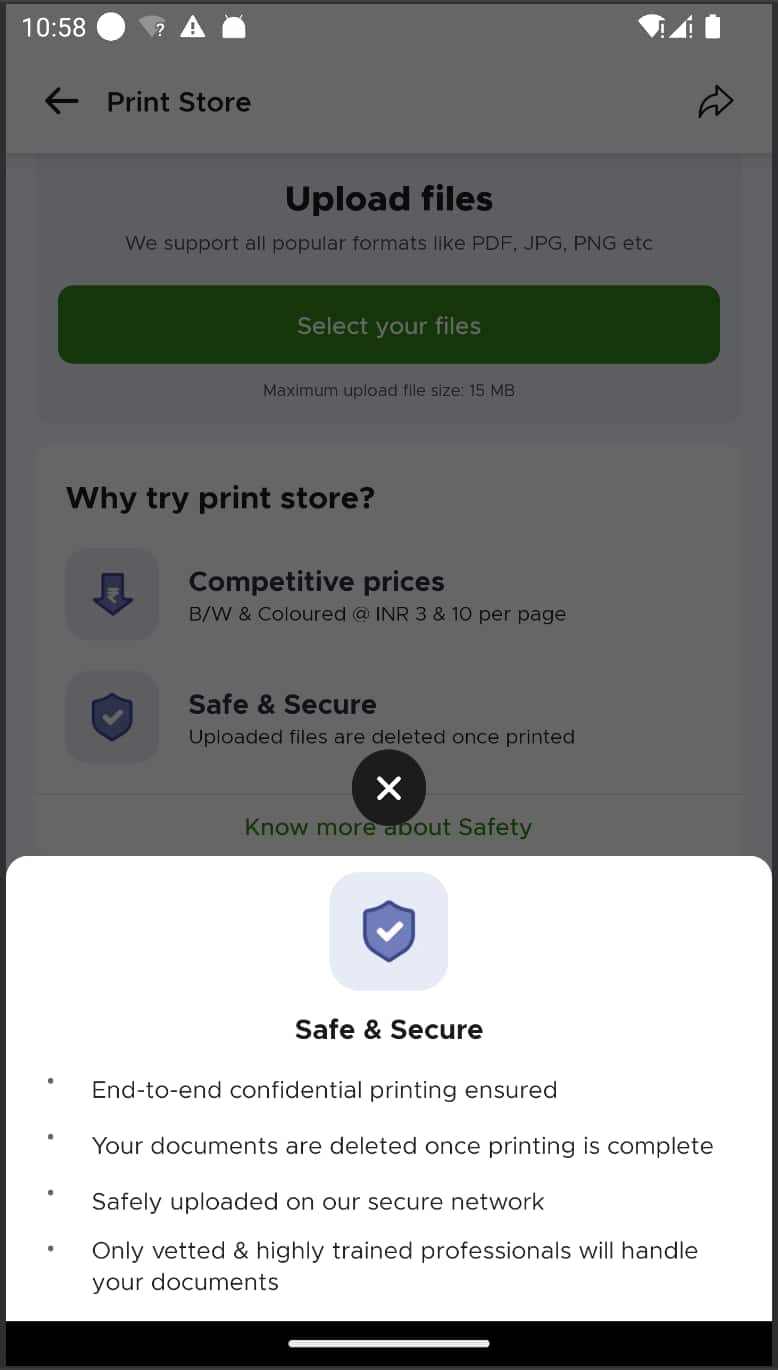
- Security: Delete files as soon as the print is complete
- Agile response system: Build a detection mechanism to act quickly on issues such as paper jams and low toner levels
- 99.9% uptime: Have no service downtime whatsoever
Selecting our Hardware – Slice of Pi
We needed inexpensive and IoT-friendly hardware, which naturally drew us to the lean, mean, fruity machine–The Raspberry Pi.
The Pi is the epitome of commodity computing. It’s cost-effective, energy-efficient, easy to set up, and has a ton of support for peripheral connectivity. With the Raspberry Pi, we can also sandbox and package our services to be deployed remotely nationwide.
Our Software Implementation
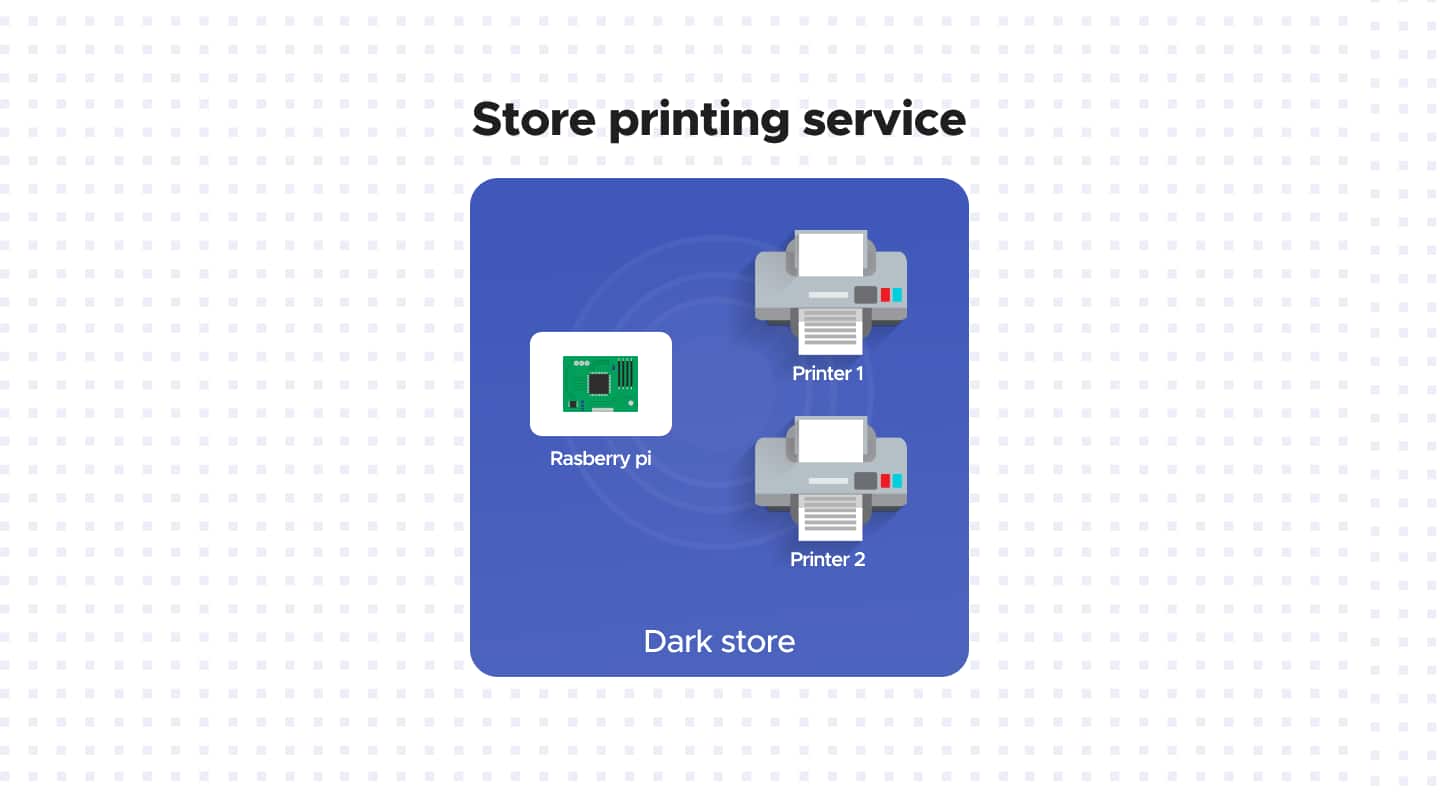
Store Printing Controller Service
This service is the heart of our operation and runs on our Pi Zeros (running Raspbian OS), which are plugged into our printers at local stores. It runs bare metal on our Pi hardware, which allows us to scale up and maintain parity among hardware devices.
So, when a customer uploads a document for printing, this service receives data from our backend services, temporarily stores it, and passes it on appropriately. Commands are received in JSON format, which are then converted into printer actions such as “double-sided print,” “color print,” and “A4,”.
Furthermore, since the printer cannot send telemetry data to our servers, this controller service handles it. It’s also responsible for retry policies and hardware recovery in case of failures. Our service can also receive binary updates on the fly and over the air, which ensures that manual intervention is not required from humans at the store. Building this capability to update remotely is crucial when running a centralized operation pan-India.
Proxy Printing Service
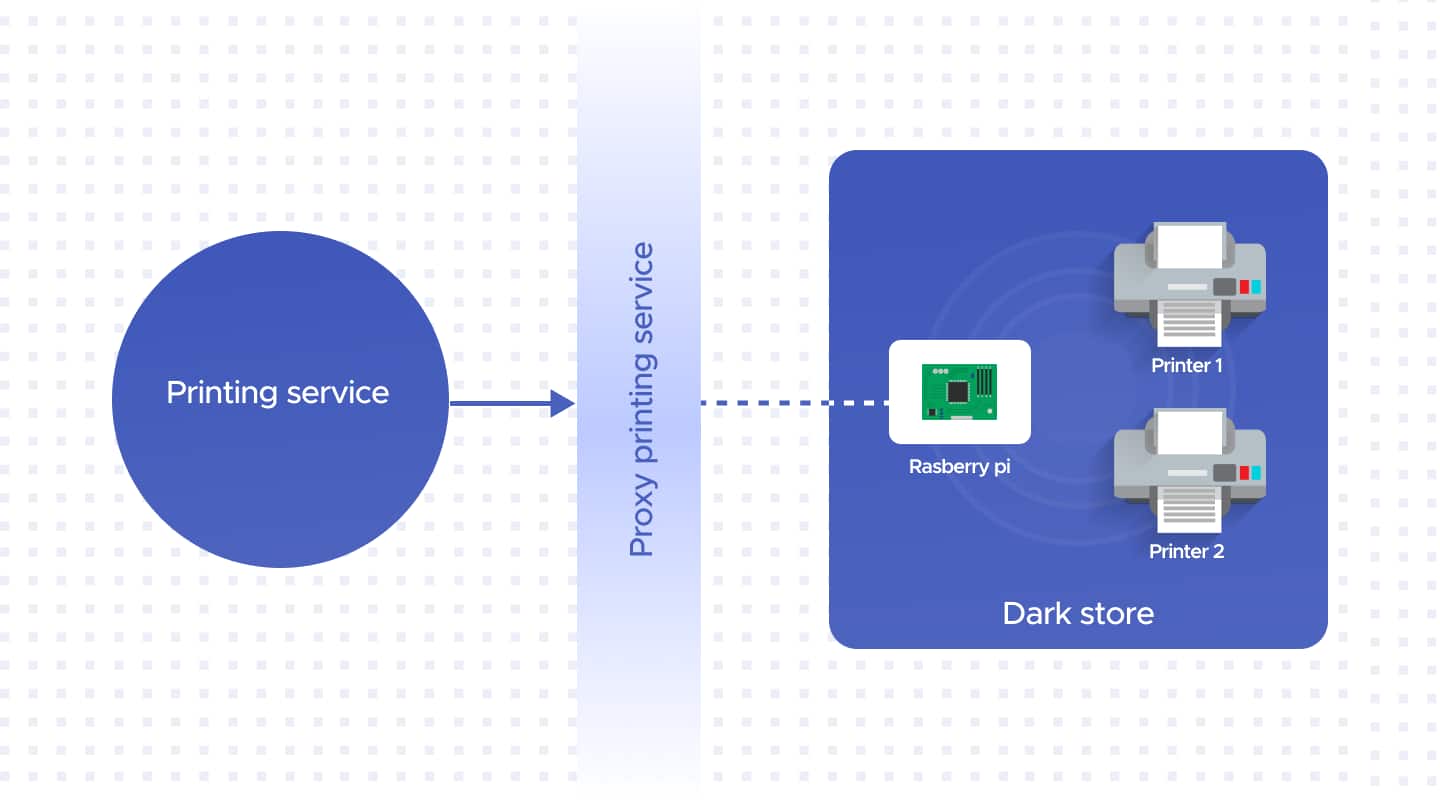
We had to develop middleware that would maintain the persistence of the data sent by the controller. This middleware, our proxy printing service, is in charge of printing all documents. It structures the data from the controller service, queues it and sends it back to the printing service with retries when needed.
Our Proxy Printing Service is isolated from the Pi and our microservices. This is essentially an insular service with no situation awareness, and no business intelligence resides here. In fact, this also allows us to package the print store and integrate it with our app.
Printing Service
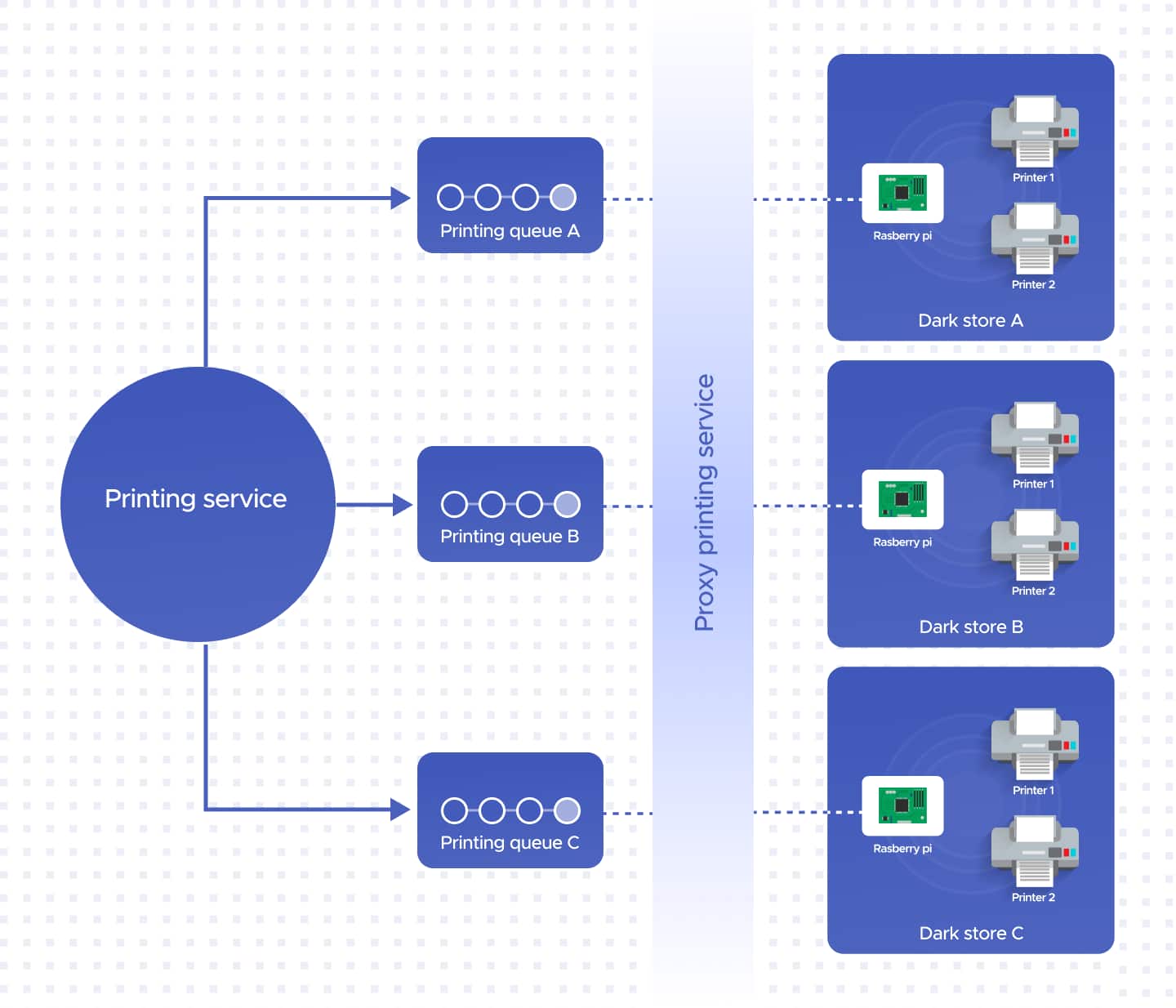
The Printing Service handles all system-level intelligence and business logic, while the proxy and controller services handle printing. Our Printing Service contains the queueing logic and routes printing requests to the correct local stores.
This service maintains Google’s Remote Procedure Calls or the gRPC framework to connect our internal microservice to our store printing controller. The printer service keeps connections socket-based and exposes endpoints to all our operations. It also stores the controller's telemetry and can publish it to a message broker.
Final Touches
Data privacy and security has always been Blinkit's #1 priority, and accounting for it while scaling the Print Store was a key priority. Given that the Print Store would be handling our customers' confidential documents, we built the entire operation to ensure that misuse of information was not possible. We developed a secure printing feature that deletes files as soon as they are printed. While we had the option to provide the convenience of maintaining documents for re-printing, we consciously forewent that option. So, if you need to print the same document again (we allow multiple copies in the same order), you will have to upload the document to the print service again, and it will get deleted as soon as the print is complete.
What did we create?
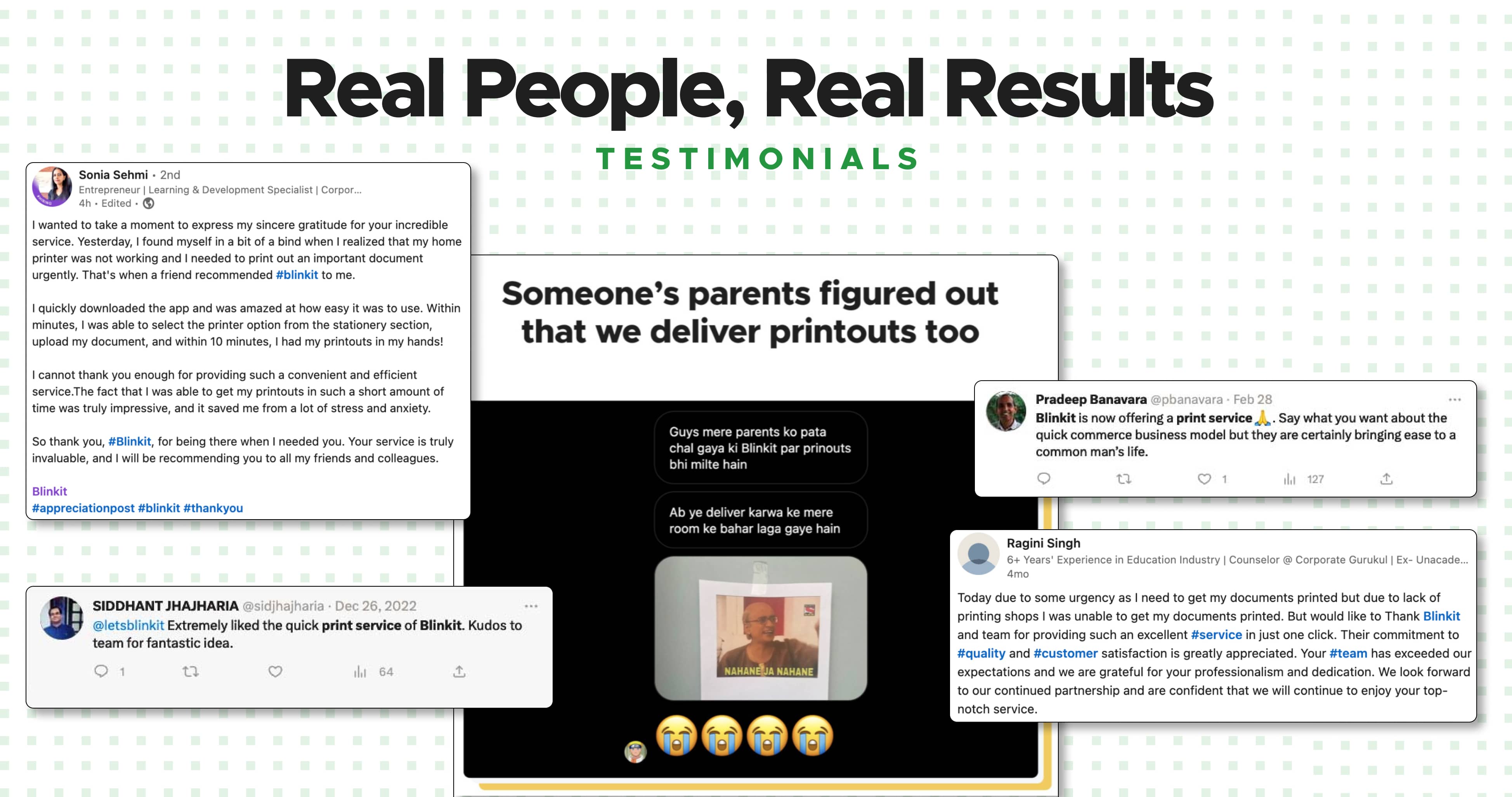
We received a ton of customer love for this service. Most of it because, when you really need a print, you reaaalllly need it. People mentioned that they were using the print store to print visa documents, boarding passes, their children's assignments and even memes!
We've started working on support for passport photos, and even t-shirt and poster printing. When this goes live, we'll be there for all your last-minute printout needs and customised gifts for your loved ones.
Contributors
Ritik is a developer on the Print Store team, feel free to check out his github https://github.com/harchani-ritik and connect with him on Linkedin https://www.linkedin.com/in/ritikh/.
Millind is a developer in the content team, his github is https://github.com/milindrc and Linkedin https://www.linkedin.com/in/milind-chaudhary/.